How to use Youtube, NotebookLM and Anki to learn anything and remember it?
If you are a student who uses YouTube, you know it offers excellent, condensed videos that teach complex concepts concisely. However, it’s often difficult to remember everything, and you usually have to re-watch videos to make the information stick.
If you have tried spaced repetition, you know that Anki is a powerful tool for retention. But manually creating cards for every individual concept is a tedious process. This is where NotebookLM comes in.
Step 1: Generate the Cards
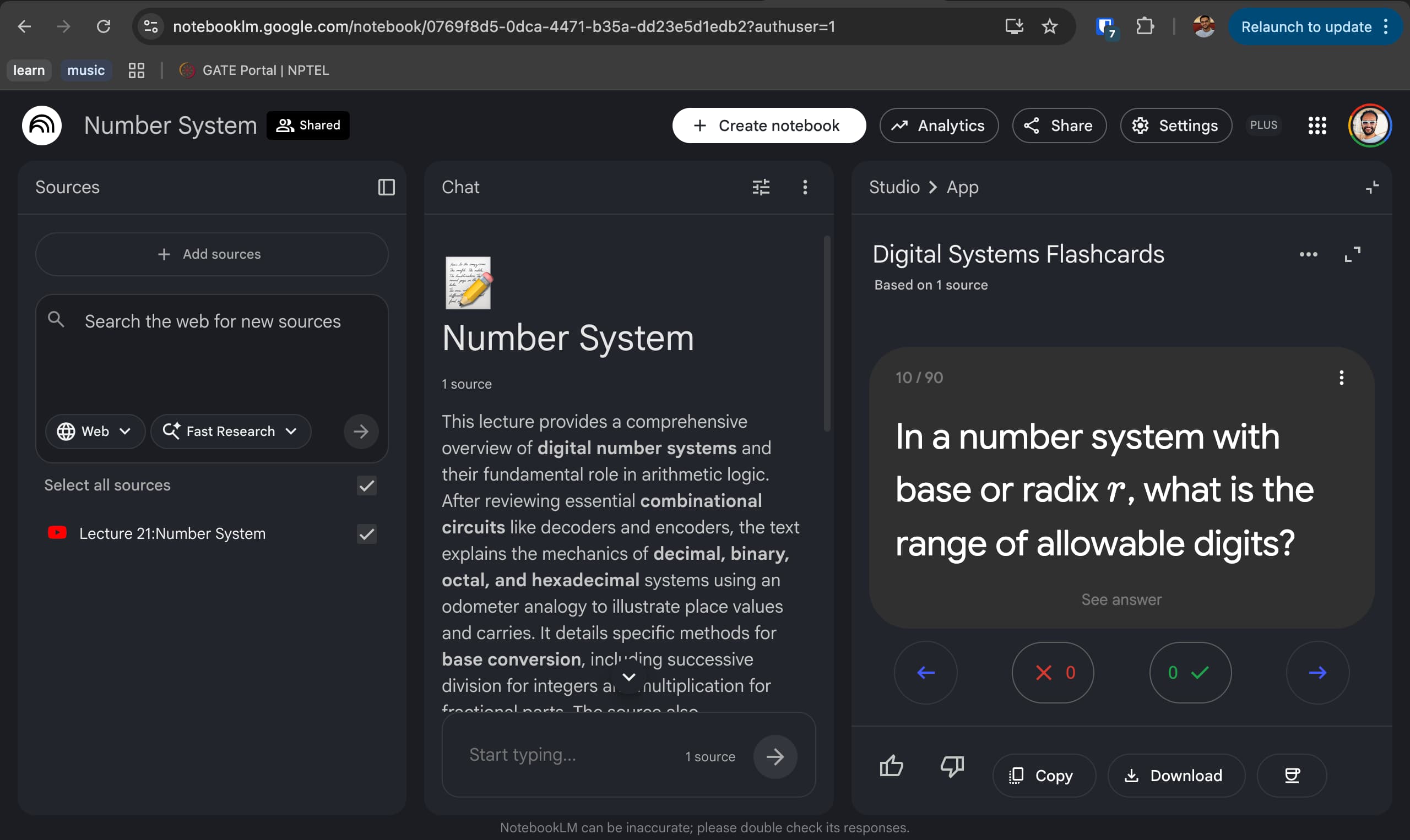
Simply add any YouTube video you want to study as a Source in NotebookLM. Use the chat to ask it to “generate flashcards.” Once processed, a flashcard set will appear in the Studio tab.
Step 2: Exporting with AnkiNLM
While NotebookLM allows you to download flashcards as a CSV directly, the native interface occasionally has bugs regarding Markdown or LaTeX conversion, especially for Math or Engineering equations. To fix this, install the Chrome extension AnkiNLM. This adds Copy and Download buttons to the interface. Click Download to save a CSV file specifically formatted for Anki.
Step 3: Improving Math Rendering in Anki
To ensure equations and Markdown render correctly in Anki, you should install a dedicated Add-on:
- Open Anki.
- Go to Tools -> Add-ons.
- Select Get Add-ons.
- In the Code field, enter:
2100166052 - This installs the Better Markdown Anki add-on.
- Restart Anki.
Step 4: Import and Clean Up
Now, you can use the Import File option in Anki to upload your CSV.
Tip: If you are using videos from sources like NPTEL, the flashcards might include summaries of previous lectures that aren’t relevant to your current deck. You can quickly delete these unnecessary cards using
Cmd/Ctrl + Del